
Best way to Automate your Backup process – MySQL

Naser Sobhan
AI & Strategy Consultant
When first I started my Ooyta.com website in a VPS I was worried what if my server crashes and I lose All my Data (although I had full backup of my VPS everyday) but having MySQL Dump is way better than a full backup.
and it was really not good to download it everyday by myself, as I don’t know where I will be tomorrow being busy and forget to backup and everything.
so I stared search for Automation Application to just backup my database and store them in a remote FTP, Actually I did not find a good one for free but I found below Shell Script and it’s simply amazing, it backups All my Database and Store each table in separated ZIP, so if one of my table crash for some reason I just recover that table.
and At the end if store all in one ZIP in a remote FTP.
#!/bin/bash
############### Infos - Edit them accordingly  ########################
# get data time for name of ZIP
DATE=`date +%Y-%m-%d_%H%M`
# Local Directory for backup and tmp files
LOCAL_BACKUP_DIR="/backup"
# database User/pass - it will be good a use that have access to all database
DB_USER=""
DB_PASSWORD=""

# FTP remote information just fill thin accordingly
FTP_SERVER=""
FTP_USERNAME=""
FTP_PASSWORD=""
FTP_UPLOAD_DIR=""
# Log file of Backup proccess
LOG_FILE=/backups/backup-DATE.log

############## Local Backup  ########################
mysqldump -u $DB_USER  -p$DB_PASSWORD --all-databases --skip-lock-tables | gzip  > $LOCAL_BACKUP_DIR/$DATE-dbs.sql.gz
############### UPLOAD to FTP Server  ################

ftp -nv $FTP_SERVER << EndFTP
user "$FTP_USERNAME" "$FTP_PASSWORD"
binary
cd $FTP_UPLOAD_DIR
lcd $LOCAL_BACKUP_DIR
put "$DATE-$DB_NAME.sql.gz"
bye
EndFTP

############### Check and save log, also send an email  ################
if test $? = 0
then
    echo "Database Successfully Uploaded to the Ftp Server!"
    echo -e "Database Successfully created and uploaded to the FTP Server!" | mail -s "Backup from $DATE" [email protected]
else
    echo "Error in database Upload to Ftp Server" > $LOG_FILE
fi
############### Remove Old File more than 3 days  ################
find /backup/*.sql.gz -mtime +3 -exec rm {} \;
echo "backups with 3 days age removed";
Written by
Naser Sobhan
A technology veteran with 18+ years building scalable systems for global enterprises. Now based in Rochester, MN, helping local businesses adopt AI safely and profitably.
How this is written: I'm a builder first, not a professional writer — my strength is the technical work, not turning it into prose. The ideas, opinions, and experience here are entirely mine, shaped by years actually doing this. I use AI to help organize my notes, tighten the language, and turn what's in my head into something worth reading.
Keep reading
All insights →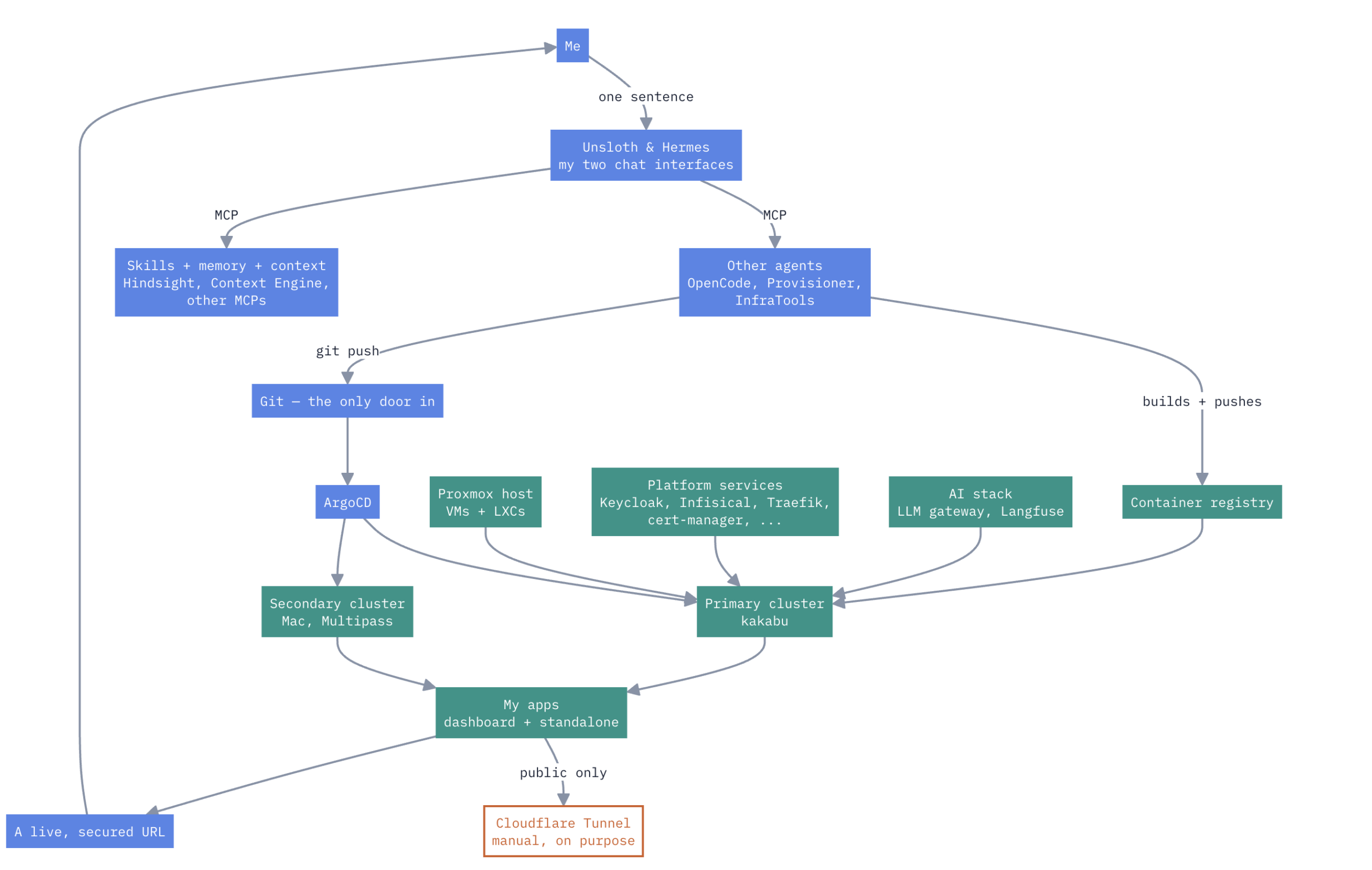
A HomeLab that have Enterprise Level AIOps
one Proxmox box, a Mac, two k3s clusters, no cloud rent Here’s how it actually works. Not a diagram I drew for a pitch deck — the real thing, warts and...

How to Design and Implement Software Architecture Patterns: 5 Best Practices
Designing and implementing software architecture patterns is a crucial aspect of software development. It is the foundation upon which the software is built,...

Unveiling the Top Traits of a Successful Software Engineer – What it takes to Excel in the Competitive World of Tech
In summary, a skilled software engineer should possess various technical abilities, a solid problem-solving aptitude, the ability to communicate effectively,...