
First Day of Drupal

Naser Sobhan
AI & Strategy Consultant
After like 7 or more years I am in a Job that need to learn Drupal and work with Drupal, it’s kind of confusing after developing with PHP native and now starting again with a CMS. but as I see Drupal is one hell of a beast.
Installation
Installation should be easy like other CMSes right? Download the script package put it in your htdocs, public_html folder to be public and in the other side create the database and setup installation
but I saw the Drupal has something special called Acquia Dev Desktop and after I tried to install it in xampp I saw a big Warning says you have an issue with date and it’s not good experience to install it in xampp. and I needed to install opcache which was not that hard.
just added below into my php.ini
zend_extension = "C:\xampp\php\ext\php_opcache.dll"
 opcache.memory_consumption=128
 opcache.interned_strings_buffer=8
 opcache.max_accelerated_files=4000
 opcache.revalidate_freq=60
 opcache.fast_shutdown=1
 opcache.enable_cli=1
it seems I had the php_opcached.dll download with xampp 7.2 and everything was fine.
but I ignored the date problem for the start.
After Installation I tried to google where to start the development I saw there are few tools for developer that makes our life easier.
Drush
Drush is an awesome shell interface for managing Drupal right from your cloud server command line. It is a very useful tool as it helps you perform various admin tasks using just one or two commands in the terminal, replacing the need for many clicks and page refreshes in the UI
From Digital Ocean Website
Installation of Drush:
- You have to Install Composer and setup
- Run this command in PowerShell:
composer global require drush/drush:8.* Drupal Console
The Drupal Console is a suite of tools that you run on a command line interface (CLI) to generate boilerplate code and interact with a Drupal 8 installation. For earlier versions of Drupal, see drush-related coder module tools.
From Drupal Website
Installation of Drupal Console:
- Install the Composer
- Install git Client
- Run this command in PowerShell:
composer require drupal/console:~1.0 --prefer-dist --optimize-autoloaderWritten by
Naser Sobhan
A technology veteran with 18+ years building scalable systems for global enterprises. Now based in Rochester, MN, helping local businesses adopt AI safely and profitably.
How this is written: I'm a builder first, not a professional writer — my strength is the technical work, not turning it into prose. The ideas, opinions, and experience here are entirely mine, shaped by years actually doing this. I use AI to help organize my notes, tighten the language, and turn what's in my head into something worth reading.
Keep reading
All insights →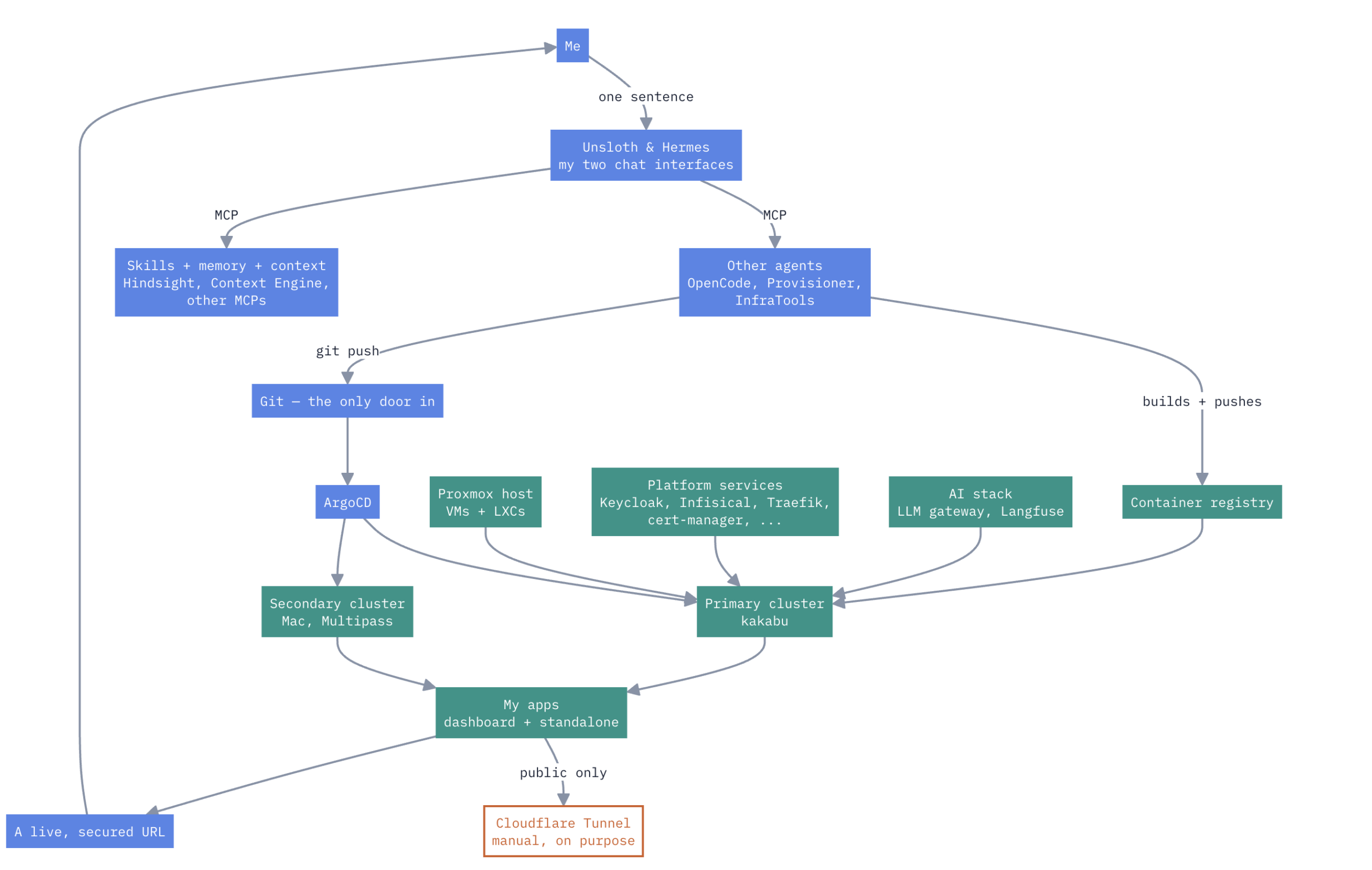
A HomeLab that have Enterprise Level AIOps
one Proxmox box, a Mac, two k3s clusters, no cloud rent Here’s how it actually works. Not a diagram I drew for a pitch deck — the real thing, warts and...

How to Design and Implement Software Architecture Patterns: 5 Best Practices
Designing and implementing software architecture patterns is a crucial aspect of software development. It is the foundation upon which the software is built,...

Unveiling the Top Traits of a Successful Software Engineer – What it takes to Excel in the Competitive World of Tech
In summary, a skilled software engineer should possess various technical abilities, a solid problem-solving aptitude, the ability to communicate effectively,...